
I'm trying to send a pic threw PM and I keep getting this message. I've cleared out most of my sent and recieved emails what else do I need to do?
when I attach a pic I get this message
"Sorry, but the maximum filesize for all Attachments in your Private Message Folder has been reached. Please delete some of your received/sent Attachments."
any ideas? thanks in advance!!!
How to delete recieved/sent attachments?
Moderators: pompeiisneaks, Colossal
How to delete recieved/sent attachments?
My Daughter Build Stone Henge
-
Ron Worley

- Posts: 908
- Joined: Mon Dec 24, 2007 8:21 pm
- Location: Keller, TX
Re: How to delete recieved/sent attachments?
I get the same thing.... some weird quirk of this forum's design I suppose....
Ron

Re: How to delete recieved/sent attachments?
Just deleting messages won't do if you don't remove the ones with the paper clip icon (indicating an attachment). There is a bar indicating the status of your "Attachbox" upper left of Inbox, Sentbox, Savebox. This is a combined total. You will need to delete (or save locally and delete) old attachment files from these locations and the % bar should go down. If you are at say 97% and you send a few big attachments that would put you over the full 100%, it won't accept your message because your attachments in your sentbox will put your attachbox over 100%. You may not be able to receive an attachment to your inbox if your attachbox status is to high. May be other thoughts on this, but I just cleaned mine out after reading your post and am back to 0%
Gary
Gary
In the 60's people took acid to make the world weird. Now the world is weird , and they take Prozac to make it normal.
Re: How to delete recieved/sent attachments?
my attachment bar is less then 3% and my total email is 6% after erasing. my saved email folder is 52% I'm assuming I have room, or i'm missing a mistery button to delete my trash can.
My Daughter Build Stone Henge

Re: How to delete recieved/sent attachments?
If you just want to post pictures I like to use www.photobucket.com
Off site hosting doesn't bog the server down with all the files.
It's free and easy.
Open an account, define an album name, choose 800x600 image size and start uploading pictures.
For uploading multiple pictures use the new bulk uploader.
Also make sure you mark the album private so people can't get into it and snoop.
Once the pictures are uploaded choose the picture you want to post in a thread, look underneath the picture and there are links.
Choose the img link by right clicking on it, select copy.
Come back to the forum page and right click where the cursor is and select paste.
Then when the message is posted your picture will appear.
Like this:
[IMG:648:486]http://i23.photobucket.com/albums/b392/ ... 124052.jpg[/img]
Off site hosting doesn't bog the server down with all the files.
It's free and easy.
Open an account, define an album name, choose 800x600 image size and start uploading pictures.
For uploading multiple pictures use the new bulk uploader.
Also make sure you mark the album private so people can't get into it and snoop.
Once the pictures are uploaded choose the picture you want to post in a thread, look underneath the picture and there are links.
Choose the img link by right clicking on it, select copy.
Come back to the forum page and right click where the cursor is and select paste.
Then when the message is posted your picture will appear.
Like this:
[IMG:648:486]http://i23.photobucket.com/albums/b392/ ... 124052.jpg[/img]

Tom
Don't let that smoke out!
Don't let that smoke out!
Re: How to delete recieved/sent attachments?
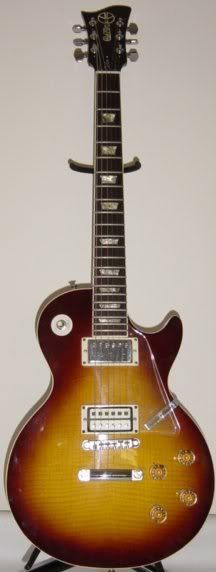
K, let me see if I got it right.
[IMG:216:572]http://i405.photobucket.com/albums/pp13 ... 00172a.jpg[/img]
Gary
[IMG:216:572]http://i405.photobucket.com/albums/pp13 ... 00172a.jpg[/img]
Gary
In the 60's people took acid to make the world weird. Now the world is weird , and they take Prozac to make it normal.